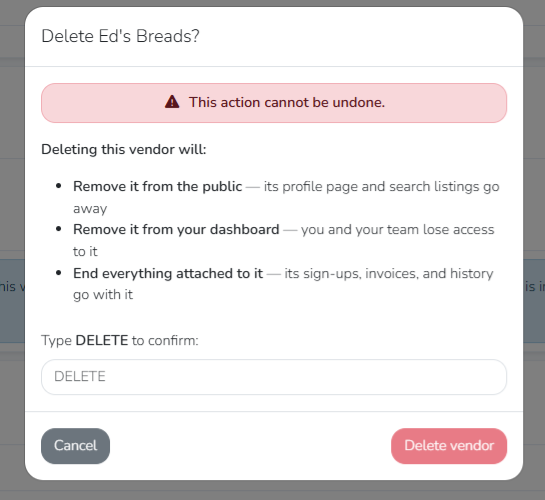
Deleting Your Marketspread Vendor Account
If you need to delete your vendor account with Marketspread, follow these instructions.
Note
Deleting your vendor account permanently removes your profile, active market applications, and historical records. This action cannot be undone.
Delete your account
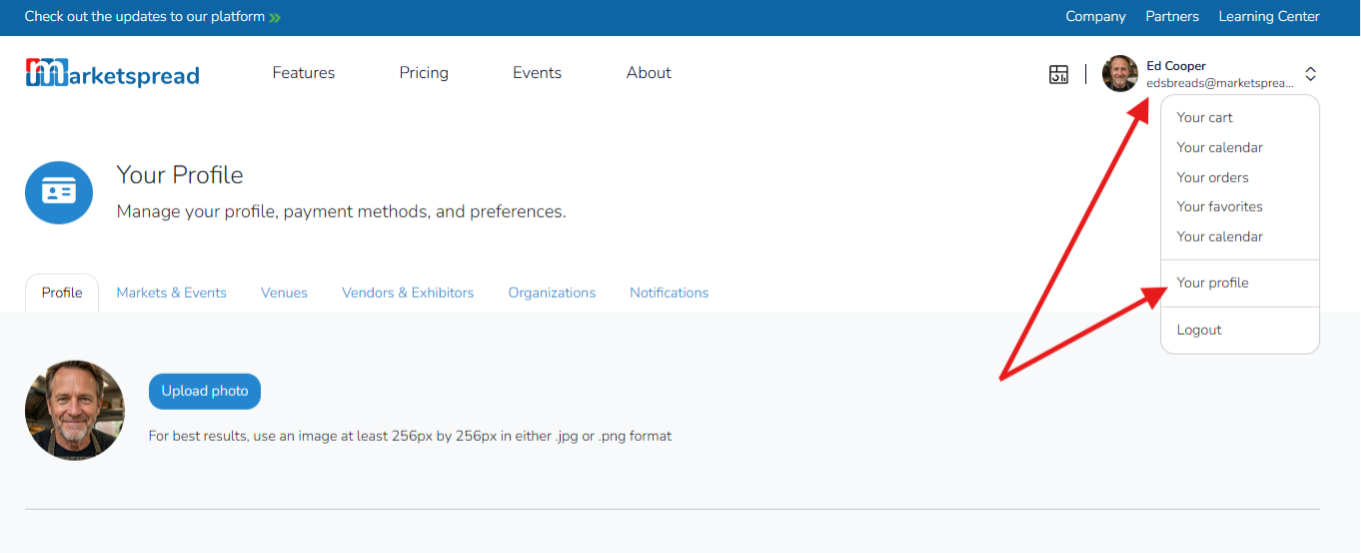
First, login to Marketspread. After logging in, navigate to your user profile page by clicking on the user icon at the top right of your screen and then selecting “Your profile” from the drop down menu.
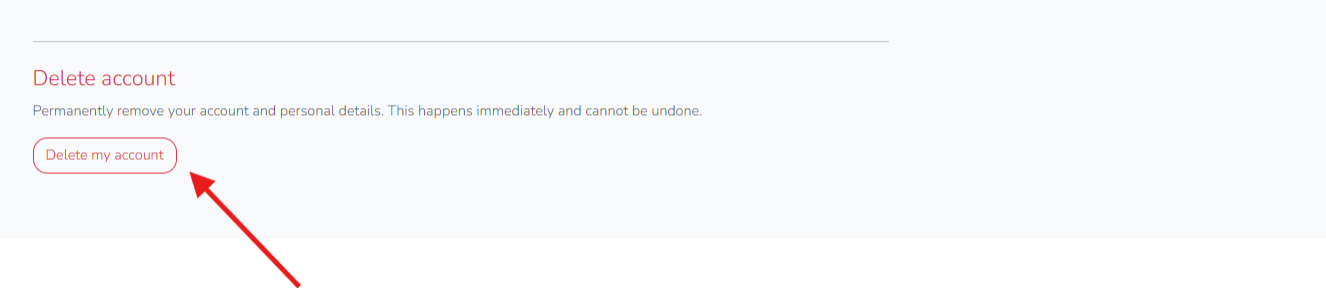
Scroll down to the bottom of this page, and you will see "Delete account". Click “Delete my account” to delete your Marketspread account.
After carefully reviewing the information, type "DELETE" to confirm. After typing "DELETE", click "Delete vendor" to complete the deletion.