


Create A Marketspread Account
If you don't already have an account you will need to create one. Click on the blue "Sign Up" button at the top right.

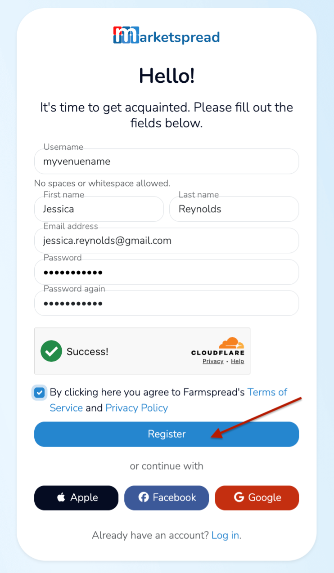
Then enter your account details and click the blue "Register" Button
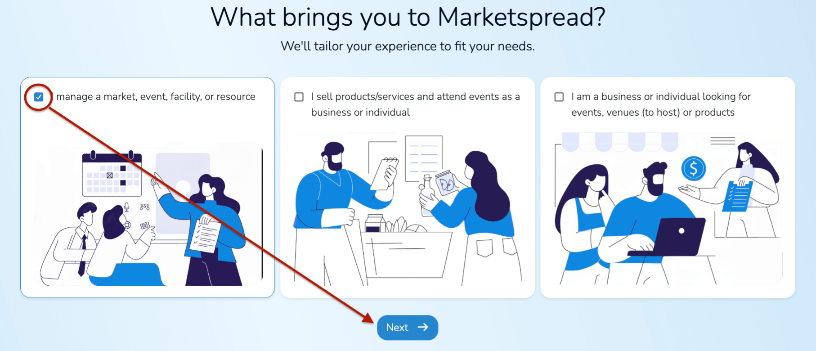
Then, select the "I manage a market, event, facility, or resource" option.
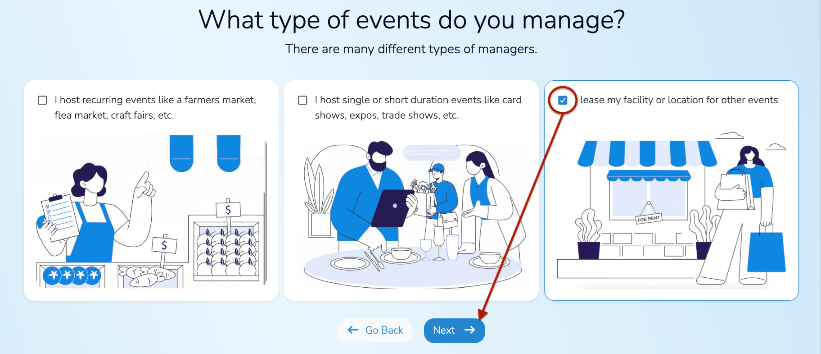
Followed by selecting the "I lease my facility or location for other events".
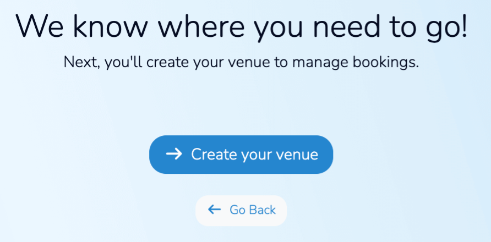
After that you will be directed to Create your venue. This will take you to a simple venue registration form.
Board to Accept Payments
Once you have your Venue registered the next step is to board to accept payments. This will allow you to take both online and in-person credit or debit payments for your Venue bookings.
Note
While you can also accept other forms of payment it is recommended to board to accept credit and debit as it provides the easiest and most automatic way to accept venue payments. It also provides you flexibility for things like deposits and incidentals.
For instructions on boarding your account for payments please read our Enabling Credit and Debit Payments support document.
Create Your Venue Booking Application
All event bookings include basic event information tracking. This includes
- Event Name
- Event Type
- Event Access (private vs. public)
- Event Description
- And all event booking contact information (individual name, email, phone, address, etc)
A Venue booking application provides you the ability to collect any additional information you want from your event customers and their event booking details. Your application can be as long or short as you would like but is a requirement to start managing your venue booking management.
Note
Your Venue application can be added to your Venue website or emailed to your customers.
Activate your Application
Post Your Application