


Creating Your Account
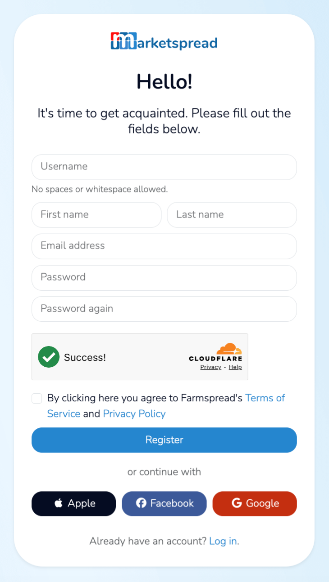
First, click on the "Sign Up" button at the top right of marketspread.com.

Then, fill in all the details of the new user form. When done, click on the blue Register button.
Note
You only ever need to create one account. With your account you can apply to as many markets and events as you would like. You can even create multiple vendor profiles against a single account.
Adding An Account Profile
After you register your account you will automatically be redirected to a series of guided questions to help you select your account type. Below is a screenshot of the first phase of that journey.
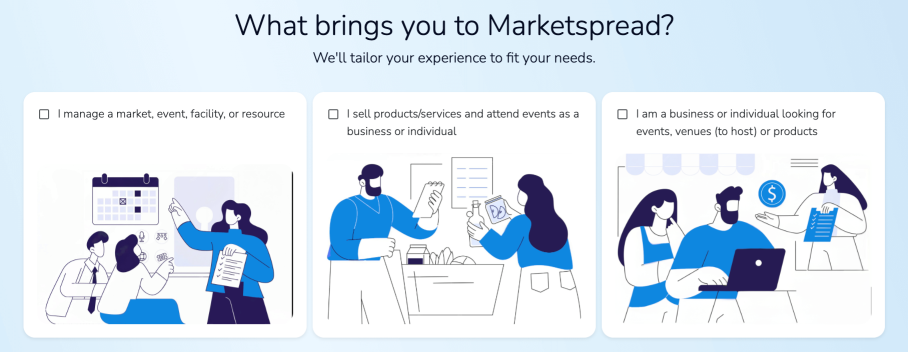
Select your account usage type.
- The one to the left is for accounts that operate markets, events or venues.
- The middle selection is for vendors, exhibitors, organizations and entertainers who attend markets and events.
- The selection to the right is for individuals who are looking to book venues or buy products from online vendors
After you make your first selection for account type you will be asked a second question to help determine your account type and usage.
Creating your First Account Profile
After you complete the account type questions you will be asked to create your account type profile. This could be a vendor profile, market profile, event profile or venue profile.
Below is a screenshot for an account that was determined to be for a market (farmers, flea, craft, etc).
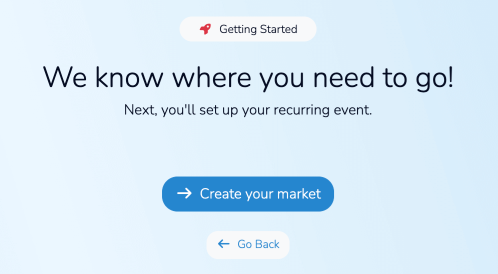
Just click on the blue Create your ... button to access the profile creation form.