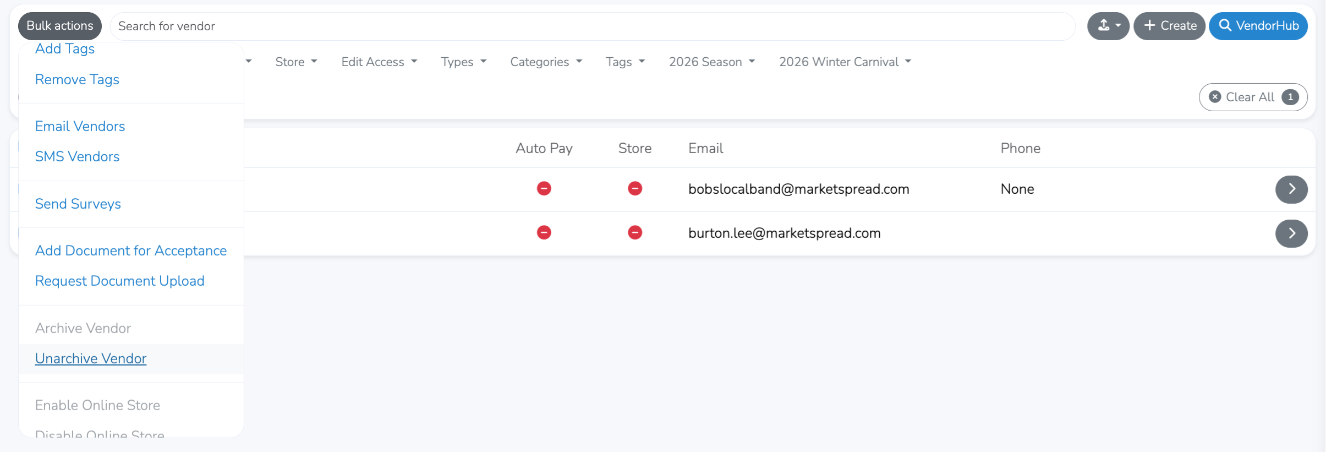

Generally, Marketspread does not allow vendors to be completely removed from your dashboard. The reason for this is to maintain data integrity and access over time. That said Marketspread does allow you to archive them which for most purposes acts like a removal.
To archive a single vendor
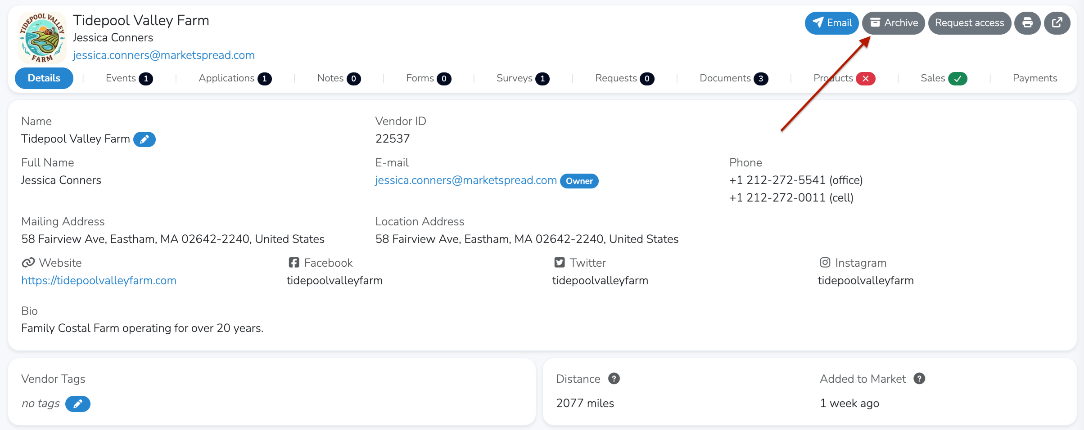
Go to Vendors in your lefthand toolbar. Then, go into the vendors record and click on the dark gray "Archive" button at the top right.
To archive a set of vendors or set of vendors
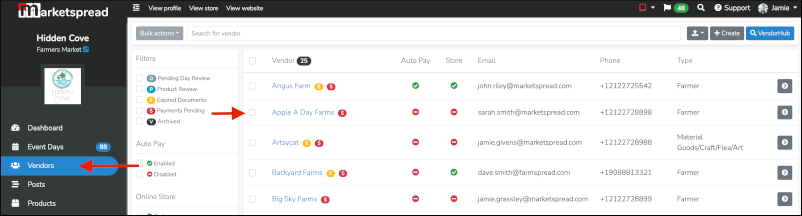
Go to Vendors in your lefthand toolbar. Then, select the checkbox next to the vendor you would like to archive.
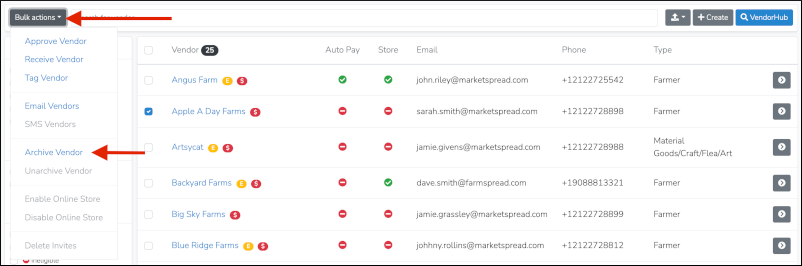
Then, select the grey Bulk actions button at the top left and select the Archive Vendor option.
After archiving the vendor(s) they will no longer show in your main vendor list.
Accessing archived vendors
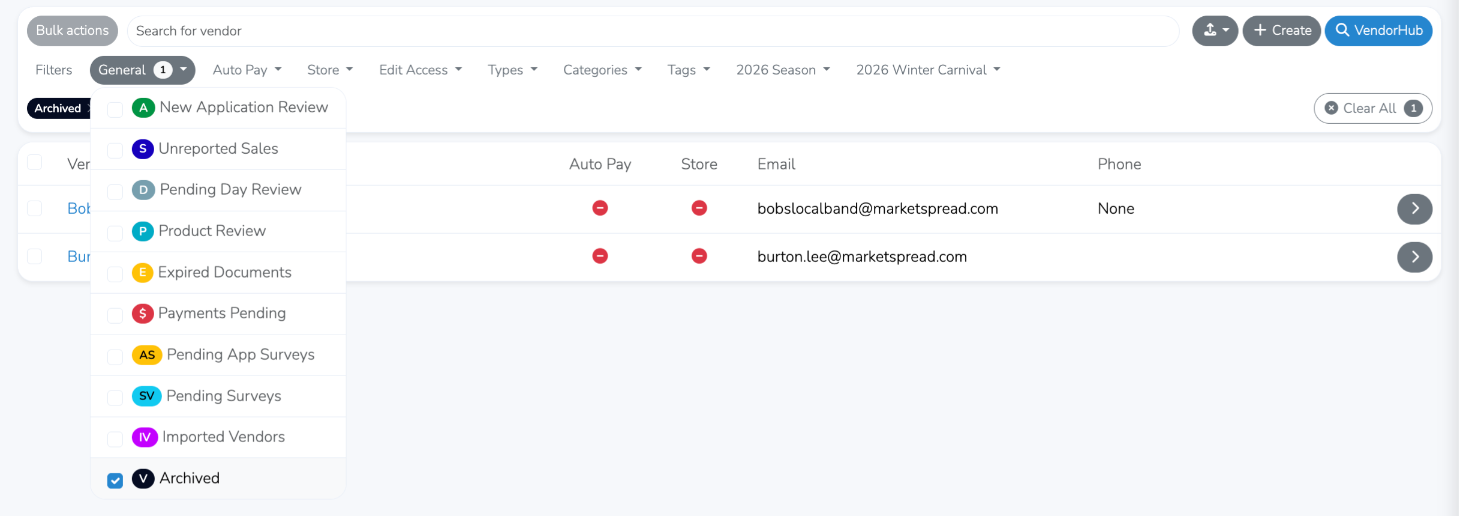
Click on the Archived filter as shown below.
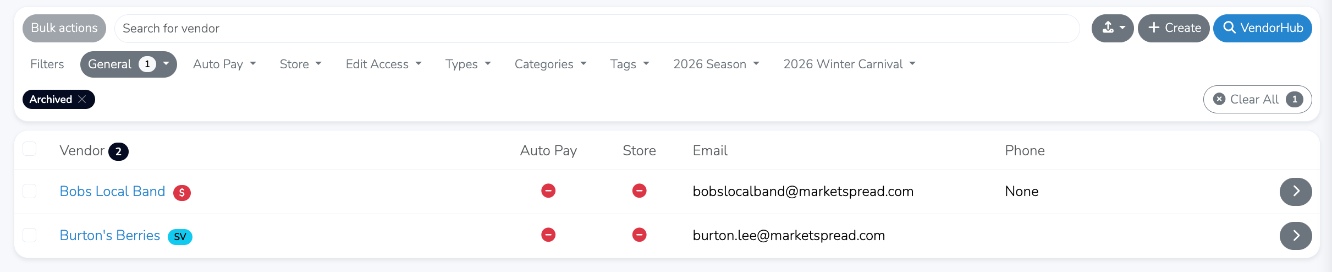
This will display all currently archived vendors as shown below.
Unarchive Vendors
If you would like the vendor to become actively managed again simply reverse the process.
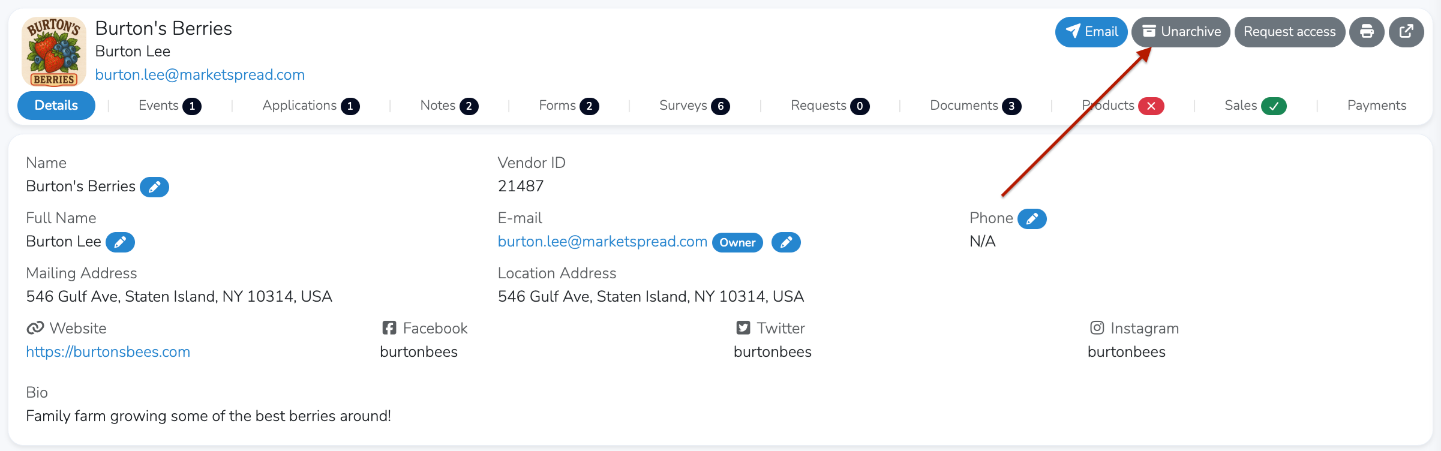
For a single vendor, go to their vendor record and click on the grey "Unarchive" button at the top right.
For multiple vendors as once, go to your global vendor list and apply the General -> Archived filter as seen below.
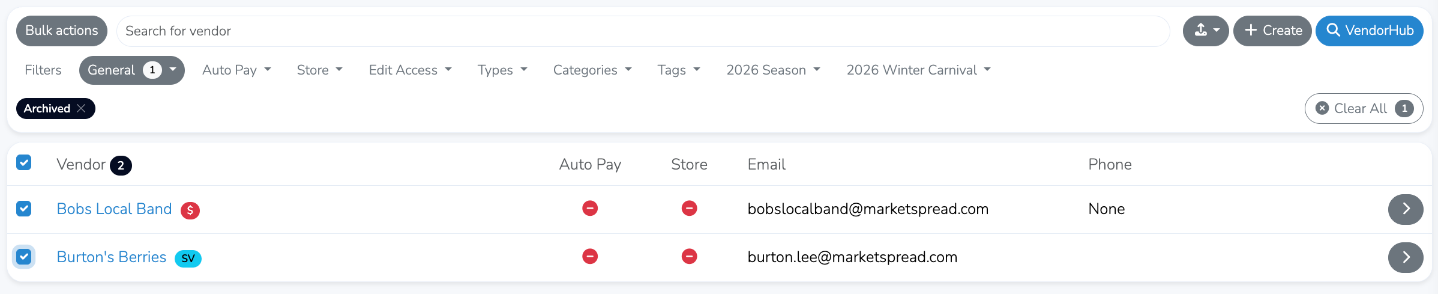
Then, select the grey "Bulk Actions" button at the top left and choose the "Unarchive Vendors" option.