


Granting Market Access to Your Account
As a vendor, you may choose to allow a market manager to help update and manage your Marketspread account. This can be useful if you and the market manager agree that they should be able to make changes to your application or vendor profile on your behalf.
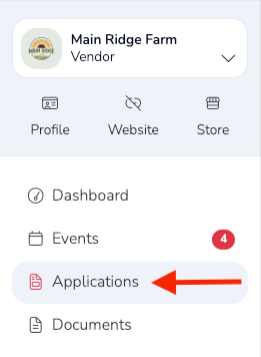
From your Vendor Dashboard, click Applications from the left-hand navigation menu.
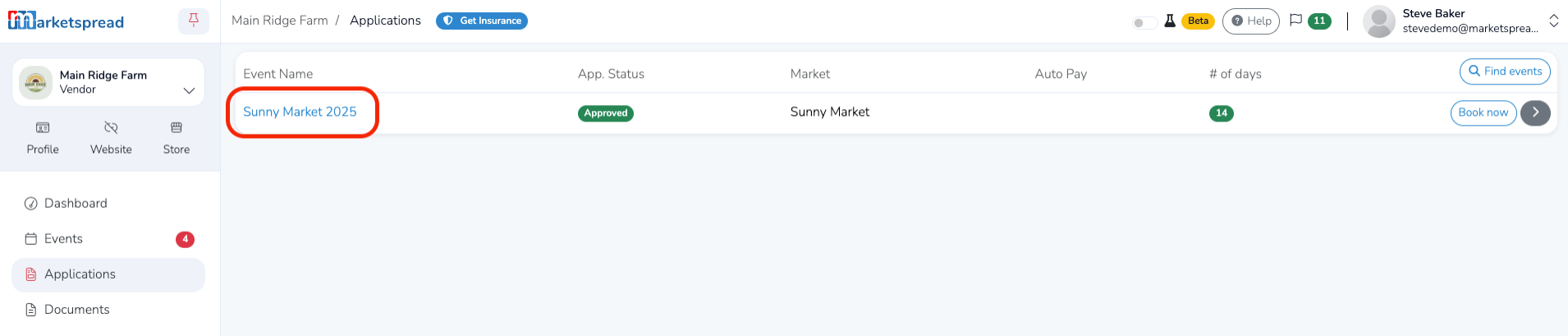
Then select the application for the market you want to give access to.
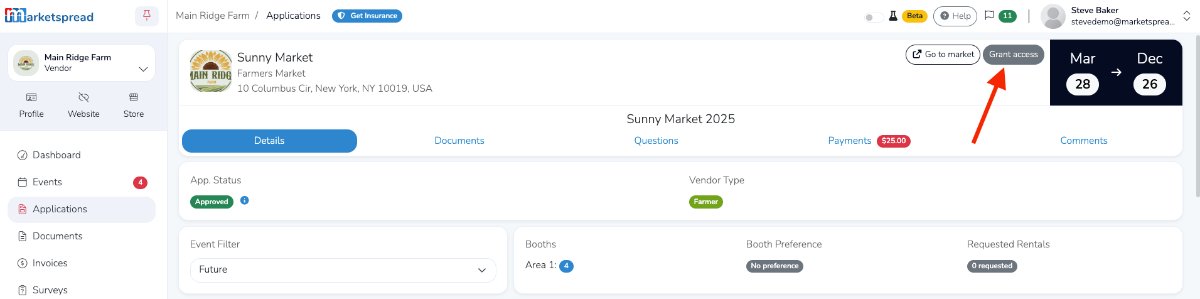
On the application page, click the gray Grant Access button in the top-right corner.
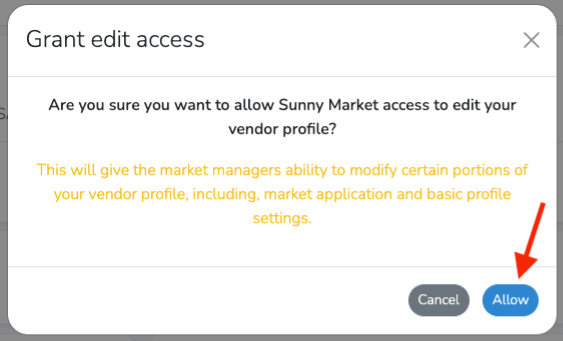
A confirmation window will appear asking if you want to allow the market to edit your vendor profile. Click the blue Allow button in the bottom-right corner to continue.
Once access is granted, the market manager will be able to make changes to your vendor profile and application.
Revoking Market Access to Your Account
If you want to revoke the market’s access at any time, return to the application and click the gray Revoke Access button in the top-right corner.
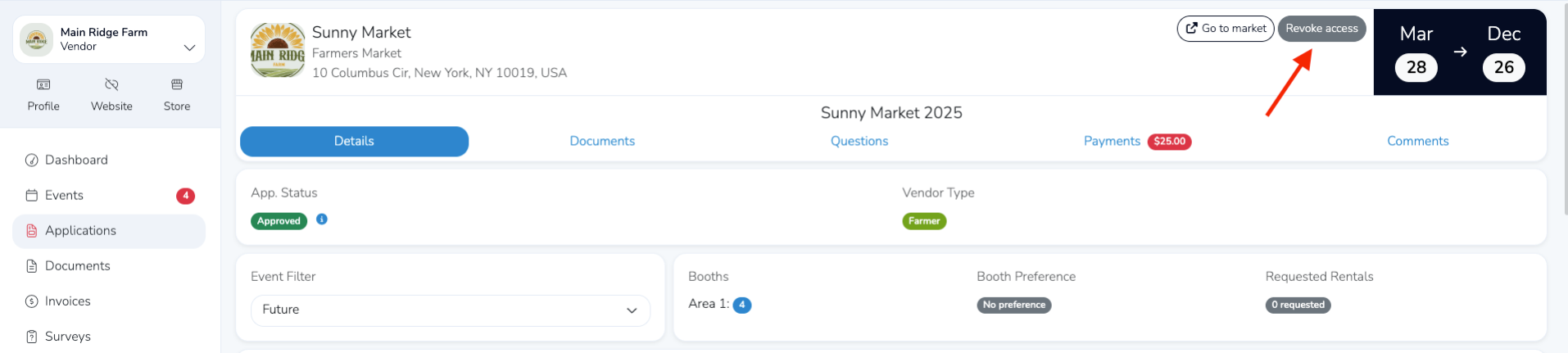
A confirmation window will appear asking if you want to revoke the market’s access to edit your vendor profile. Click the red Revoke button in the bottom-right corner to continue.
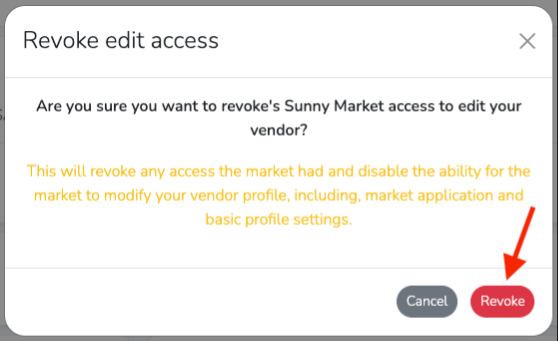
Once access is revoked, the market manager will no longer be able to make changes to your vendor profile or application.